
create documentation
Paragraph
ideaMaker is slightly different from Cura but still quite simple. Its home screen is composed of a menu bar (a), side bar (b) and build plate view (c).
Follow the steps below to import your model. (ideaMaker supports *.3mf, *.stl, *.obj and *.oltp formats.)

To import one of the supported 3D object files, either click  button on menu bar (a), or click
  button in the build plate view, as shown in animation below.
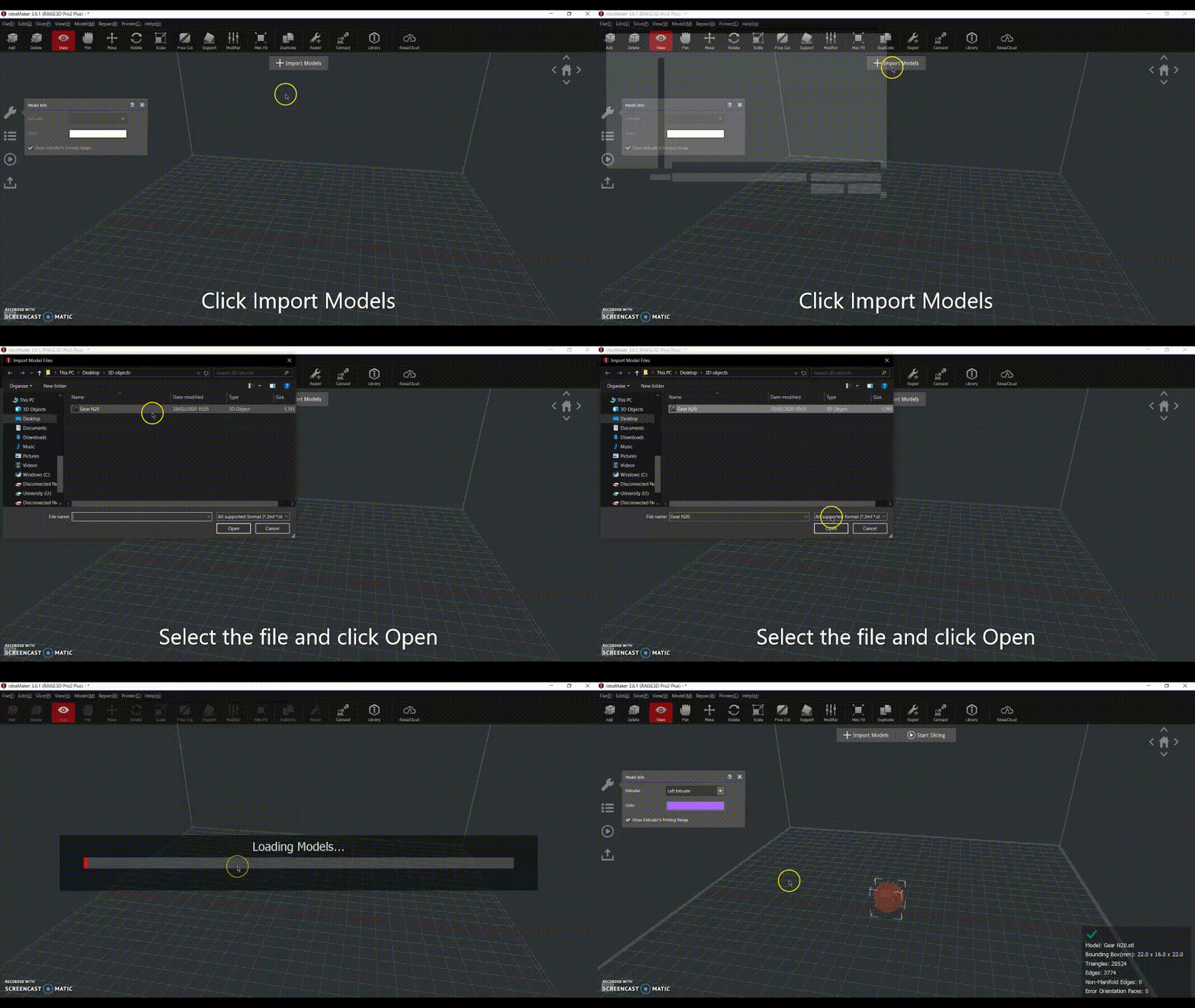
Note: It is possible to import more than one part, as long as the parts fit in the build plate.
Support